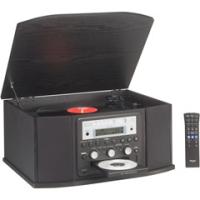
 There are two ways to convert your huge pile of audio cassette tapes and old vinyl records into an Audio CD. The first method assumes that you are a geek while the second option is so simple that even your grandma can do it.
First the tough method - Thoroughly read the Home Studio Recording bible, learn about various computer ports, audio cables, sound software, make the right cable connections and then if you are lucky, your analog tapes will be saved as WAV or MP3 files in your hard drive which you can later burn to a CD.
The second method makes the vinyl to cd conversion process look like a child's play. Just place the vinyl tape or cassette inside the GF-350 Turntable CD Recorder and hit the record button. Press play and the recording would start. No computer or technical know-now is required.
David Pogue has done an excellent video review of the Teac GF-350 Mini System accompanied by review writeup on the NYTimes website.
Despite a few issue, Tech pundit David is pleased with the overall performance of TEAC GF 350 and demands an equivalent machine for converting old VHS tapes and reels of movie film into CDs.
David, did you try the HP DVD Movie Writer DC3000? Like GF 350, DC3000 also takes video straight from the VCR or the analog Hi8 Camcorders and burns them to a DVD without requiring a PC.
Related: Transfer Vinyl LPs to an iPod, Record Skype Calls