No, this is not the GMailThis! or YahooThis! bookmarklet but something close in the form of an add-on that can be accessed via the right-click menu.
You select a portion of text on a webpage in Internet Explorer with the mouse and the send it as an email using your favorite email client be it Yahoo, GMail, Hotmail or even Microsoft Outlook.
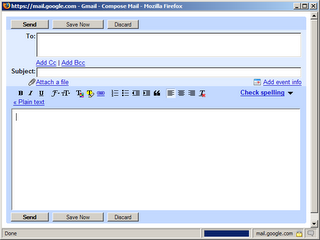
Once you select or highlight text on a webpage, right-click and the selected text forms the Body of your email message while the document title becomes the subject.
Microsoft Snip IT | Download SnipIT [184 kb]
The add-on requires IE 6.0 or later. The current beta version of Yahoo! Mail is not supported yet.
Related: Make GMail Your Default EMail Client - Replace Outlook
You select a portion of text on a webpage in Internet Explorer with the mouse and the send it as an email using your favorite email client be it Yahoo, GMail, Hotmail or even Microsoft Outlook.

Once you select or highlight text on a webpage, right-click and the selected text forms the Body of your email message while the document title becomes the subject.
Microsoft Snip IT | Download SnipIT [184 kb]
The add-on requires IE 6.0 or later. The current beta version of Yahoo! Mail is not supported yet.
Related: Make GMail Your Default EMail Client - Replace Outlook