Do You Use Blogger for Uploading Images ? Always check the file size

Blogger Images hosting service is a blessing for Blogspot users - Google imposes no bandwidth limits, you can upload pictures in virtually every format and best of all, the storage space is unlimited as well.

When you upload a photo with Blogger Images, the picture is automatically resized / resampled so that it takes less space on the Blogger server. The original image is stored without modification but you also get another image that's smaller in size than the actual image.

Sounds perfect but there maybe a problem in some cases like the one we faced today.

We uploaded a ~28 kb PowerPoint Screenshot on Blogger Images for this post. As expected, Blogger resized the image and gave us a smaller version that was 400px wide.
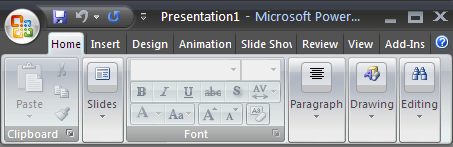
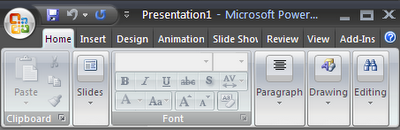
The issue here is that the resized image is ~64 kb in size which is like double the size of the original picture. Though Blogger reduced the dimensions of the image from 450px to 400px, it increased the file size in return.

This happened with the classic version of Blogger though we didn't test it on new Blogger. Something to be really careful about else you could end up increasing the loading time of your webpages.

Find this article at: http://labnol.blogspot.com/2007/01/do-you-use-blogger-for-uploading.html

web: http://www.labnol.org/ email: amit@labnol.org

Reader Comments

In new blogger i did tried uploading 550x550px ~248kb the resized image from blogger was just ~31kb for 400x400px so i think they had made some good changes in beta photo upload

Hi,
The last picture (Step7-Dial.gif) in my post is an animated gif file but it does not animates, whereas opening it in an other window/tab shows animation. It has converted the .gif file to .png

One more,
My comments(#1 & #3) at this page shows different profile pictures.
What may be the reason?

At last but not the least,
have you noted that all official blogs of Google services are still in old mode!

That is indeed true, images of various sizes have made their way through blogger.They have also made changes in the features of the upload.

this is almost not applicable in my case. My images are store in my web space. I use FTP publishing :(

I have notice this when i tried to upload a .gif animated file for my blog at htp://apnitally.blogspot.com. The actual file was a good animation but when it was uploaded it was deformed and animation was not working.
I had to upload another simple file.

Mr Amit

Please tell me how to create sidebar, as you did in your blog, by using div tag. I can create this with table but don't know how to do this with div tag.
Please help me.

Amit, can you tell me something... is there any site/desktop-client that I can use to specifically upload pictures to blogger (except picasa that is)? One of my posts hit digg FP some while ago, and all the images of my page (which are mostly hosted with imageshack.us) were like "poof" due to the heavy bandwidth usage. I have very poor internet connection at home, thats why I use Windows Live Writer to write/publish my blog-posts. Occasionally when I want to host an image I use imageshack or tinypic, because logging into blogger to do the same sounds like and is a lot of hassle for me.

So, any suggestions?

@Amit,

True. And I encounter issues uploading to BloggerImages with MSIE. I have to use Mozilla FireFox for the popup to succeed. This happens intermittently. Have you observed too?

Also, for some pictures like you have told, I use PhotoBucket and ask Blogger to link them.

There is a bug in BloggerTemplate. If it is too bug, the right side and left side navigations are trampled ruthlessly. We have to manually take care of the sizes of the images or consider a resilent template. In these perspectives, WordPress seems to be better handling the same.

Oh Well This blog is really helpful for guys who are new to this. I am very fascinated about the blogs that you post. Your suggestions or advise for my new blog site would be highly appreciated..

Labnol, you are wrong for posting pictures on blogger has a limit of 300 MB. You check it here http://help.blogger.com/bin/answer.py?answer=42348&topic=10428

Hope you would correct your post soon.

Abhinav - Not sure if I am wrong.

Did you read the post where I say why Google Blogger offers unlimited storage space ? Check the comment of the Google Blogger Employee.

Amit, I use WLW for posting to my blog. I am going to start a Blogger blog. But WLW don't upload images to Blogger because they say Blogger don't allow it in their metaweblog API.

You frequently write about WLW. Is there any method to upload images to 'Blogger' from WLW. Also Which blogging tool you use for posting to your blog. If you too use WLW how you manage to upload images on Blogger ?

I need help with posting images to Google through Blogger. The j-pegs upload to Blogger just fine, but when I do a google search the images do not show up. I have typed in other Blogger's images and they pop up but not mine. The file size seems fine and i am naming the images what they are so the Google search engine can find them but to date no dice. Any suggestions, explinations and/or advise?
Cheers!

« Back to main


Google Custom Search