As expected, Google today integrated their Orkut and GTalk messenger service.
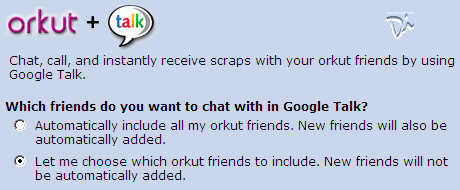
To link your Google Talk and Orkut account, go to Orkut Settings tab and click enable Google Talk to chat with your orkut friends.
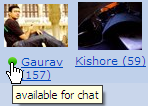 If any of your GTalk friends are on Orkut, you will see a small colored balls next to their profile name on Orkut showing their chat status. Click the circle to initiate a new voice or text chat session over Google Talk.
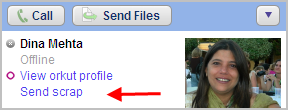
Similarly, if any of your Google Talk friends are members of orkut, you can easily scrap them from GTalk itself. Click the friend's name and shoose Send Scrap. Your friend's scrapbook opens in a new browser window. Type your scrap and click Submit.
However, your online availability status will show to all your friends in orkut who use Google Talk.
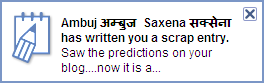
You can also choose to receive instant notifications on your desktop whenever a new entry is added to your orkut scrapbook. This is similar to the notification you get when a new email arrives in your GMail Inbox.
Click here to add me to your Orkut list of friends or join the Digital Inspiration community.
To link your Google Talk and Orkut account, go to Orkut Settings tab and click enable Google Talk to chat with your orkut friends.
 If any of your GTalk friends are on Orkut, you will see a small colored balls next to their profile name on Orkut showing their chat status. Click the circle to initiate a new voice or text chat session over Google Talk.
Similarly, if any of your Google Talk friends are members of orkut, you can easily scrap them from GTalk itself. Click the friend's name and shoose Send Scrap. Your friend's scrapbook opens in a new browser window. Type your scrap and click Submit.

However, your online availability status will show to all your friends in orkut who use Google Talk.

You can also choose to receive instant notifications on your desktop whenever a new entry is added to your orkut scrapbook. This is similar to the notification you get when a new email arrives in your GMail Inbox.
Click here to add me to your Orkut list of friends or join the Digital Inspiration community.
